AI Coral USB camera hikvision Frigate Introduction I've build a house in Belgium and previewed some camera's to be installed.
I had a Frigate
Hardware Install sudo apt-get update
sudo apt-get upgrade
Samba I want to use my old
sudo apt-get install cifs-utils
Create necessary folder for Frigate
SMBCredentials File
username=USERNAME
password=PASSWORD
Restrict access to this file
sudo chown user_name /root/smb.cred
sudo chmod 600 /root/.smb.cred
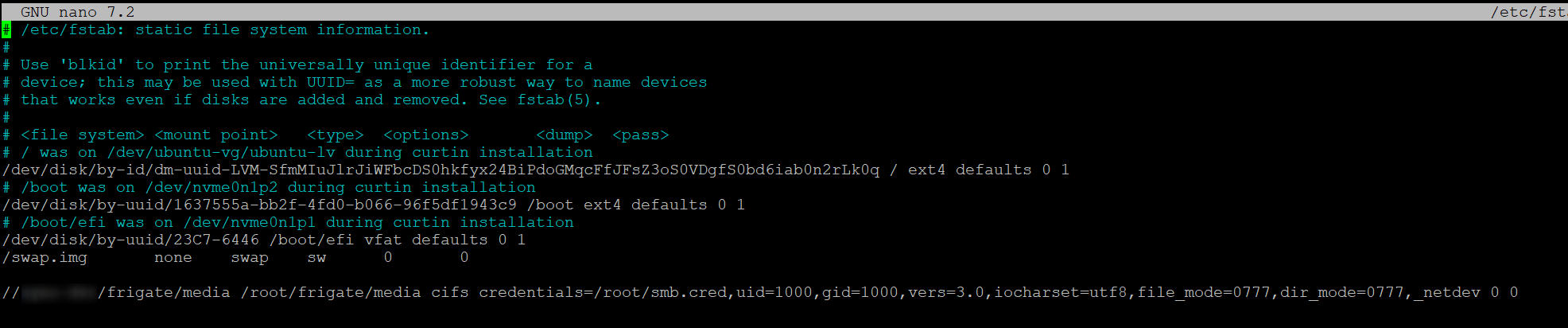
//IPADDRESS/frigate/media /root/frigate/media cifs credentials=/root/.smb.cred,uid=1000,gid=1000,vers=3.0,iocharset=utf8,file_mode=0777,dir_mode=0777,_netdev 0 0
Test
Reboot
Docker Install
Install Docker
Prerequisites
# Add Docker' s official GPG key:
sudo apt-get update
sudo apt-get install ca-certificates curl
sudo install -m 0755 -d /etc/apt/keyrings
sudo curl -fsSL https://download.docker.com/linux/ubuntu/gpg -o /etc/apt/keyrings/docker.asc
sudo chmod a+r /etc/apt/keyrings/docker.asc
# Add the repository to Apt sources:
echo \
"deb [arch=$(dpkg --print-architecture) signed-by=/etc/apt/keyrings/docker.asc] https://download.docker.com/linux/ubuntu \
$ ( . /etc/os-release && echo " $VERSION_CODENAME " ) stable" | \
sudo tee /etc/apt/sources.list.d/docker.list > /dev/null
sudo apt-get update
sudo apt-get install docker-ce docker-ce-cli containerd.io docker-buildx-plugin docker-compose-plugin docker-compose
Portainainer docker volume create portainer_data
docker run -d -p 8000:8000 -p 9443:9443 --name portainer --restart=always -v /var/run/docker.sock:/var/run/docker.sock -v portainer_data:/data portainer/portainer-ce:latest
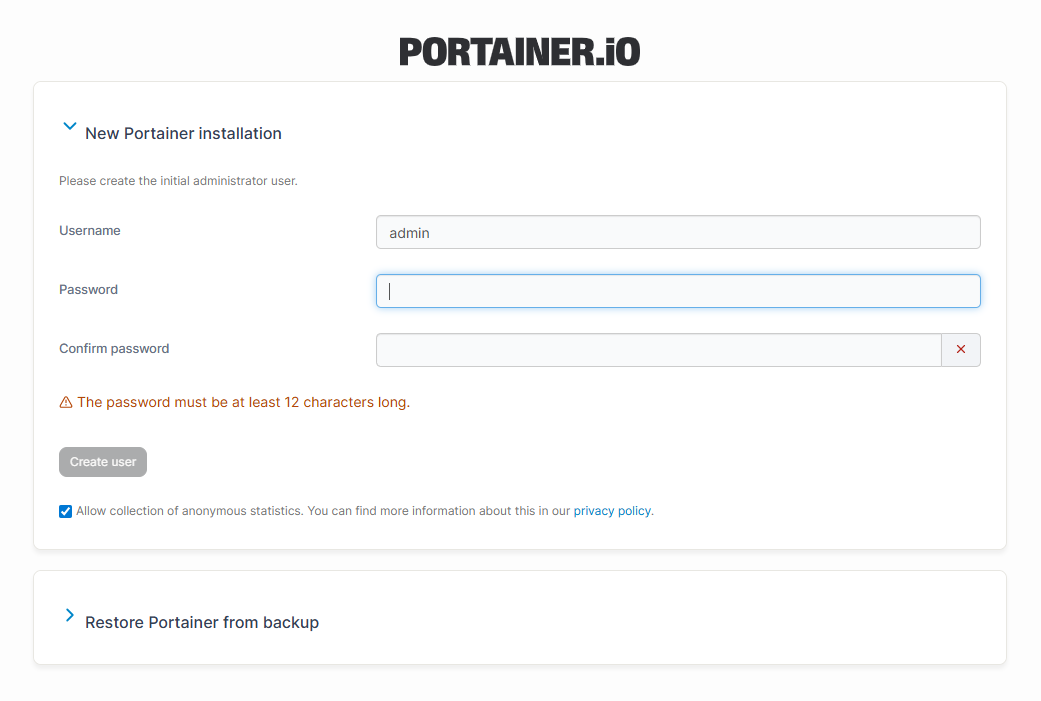
Access with https://IPADDRESS:9443
Frigate volumes: - /etc/localtime:/etc/localtime:ro - /path/to/your/config:/config - /root/nvr/frigate/clips:/media/Recordings
version: "3.9"
services:
  frigate:
    container_name: frigate
    privileged: true # this may not be necessary for all setups
    restart: unless-stopped
    image: ghcr.io/blakeblackshear/frigate:stable-tensorrt
    deploy:    # <------------- Add this section
      resources:
        reservations:
           devices:
             - driver: nvidia
               count: 1 # number of GPUs
               capabilities: [gpu]
    environment:
      - YOLO_MODELS=yolov7-320
      - USE_FP16=false
      - HA_TOKEN=*******
    shm_size: "600mb" # update for your cameras based on calculation above
    devices:
      - /dev/bus/usb:/dev/bus/usb  # Passes the USB Coral, needs to be modified for other versions
      - /dev/apex_0:/dev/apex_0    # Passes a PCIe Coral, follow driver instructions here https://coral.ai/docs/m2/get-started/#2a-on-linux
      - /dev/video11:/dev/video11  # For Raspberry Pi 4B
      - /dev/dri/renderD128:/dev/dri/renderD128 # For intel hwaccel, needs to be updated for your hardware
    volumes:
      - /etc/localtime:/etc/localtime:ro
      - /opt/frigate/config:/config
#      - /opt/frigate/storage:/media/frigate
      - samba-volume:/media/frigate
      - /opt/frigate/config:/db/
      - type: tmpfs # Optional: 1GB of memory, reduces SSD/SD Card wear
        target: /tmp/cache
        tmpfs:
          size: 1000000000
    ports:
      - "1984:1984"
      - "9150:5000"
      - "8554:8554" # RTSP feeds
      - "8555:8555/tcp" # WebRTC over tcp
      - "8555:8555/udp" # WebRTC over udp
volumes:
  samba-volume:
    driver_opts:
      type: "cifs"
      o: "username=******,password=******,vers=3.0"
      device: "//10.10.10.45/Storage"
 Coral USB